Cant download nordvpn on windows 11 heres how to fix it: Fast, practical tips to get NordVPN running on Windows 11
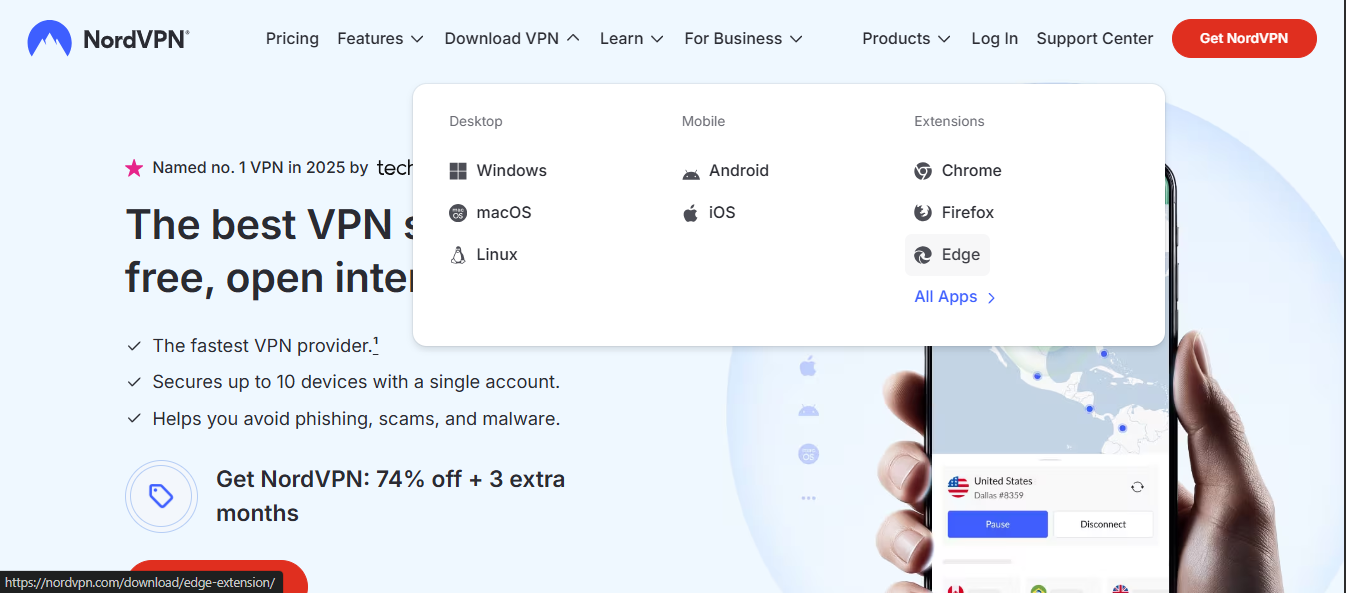
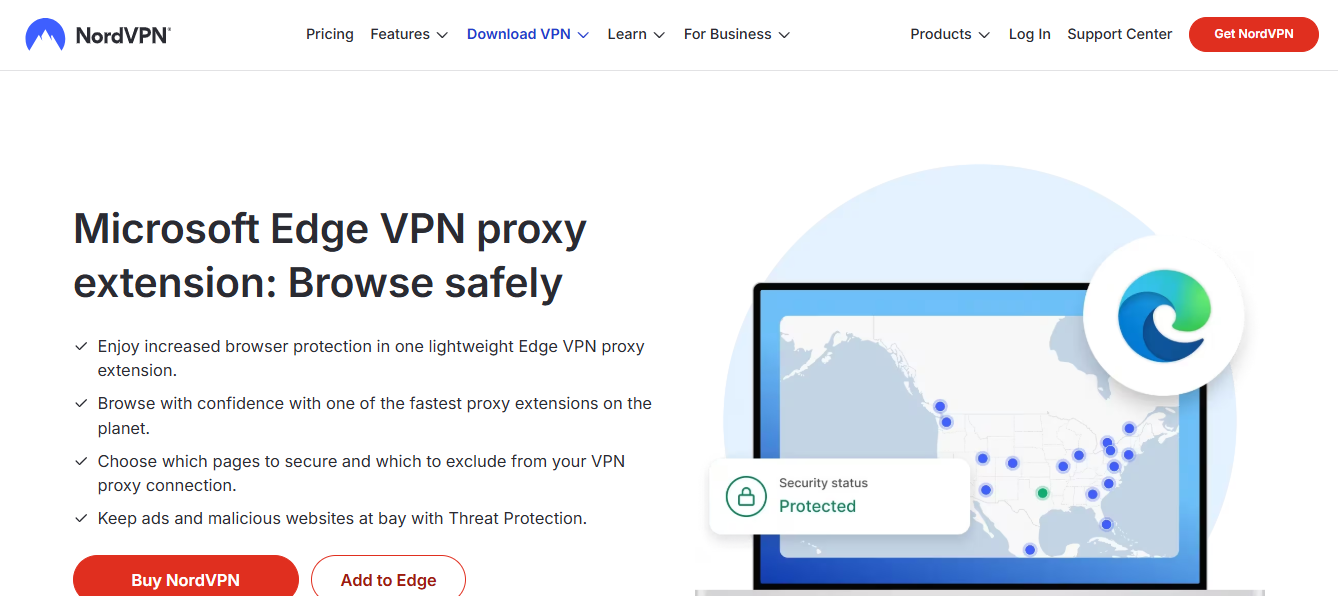
Cant download nordvpn on windows 11 heres how to fix it. If you’re hitting roadblocks downloading or installing NordVPN on Windows 11, you’re not alone. In this guide I’ll walk you through the exact steps that has helped me and many others get NordVPN working again, plus a few quick workarounds if you’re in a pinch. You’ll find a practical, step-by-step plan, common troubleshooting tips, and a few pro tricks to keep your connection smooth. We’ll cover download errors, installation issues, firewall and antivirus conflicts, and how to verify your VPN is actually protecting your traffic. Want a quick fix at the end? Yes, you’ll have a clear, repeatable checklist you can follow.


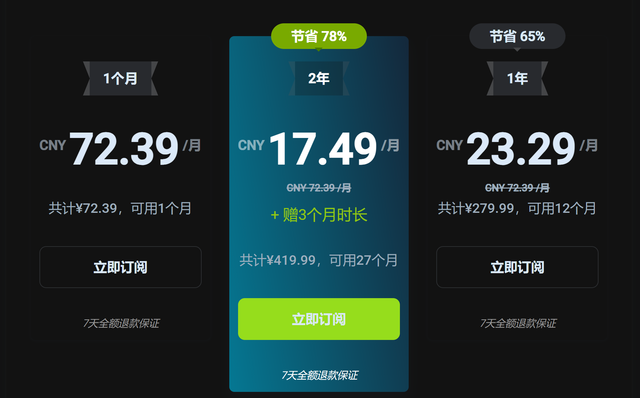

| VPN | Obfuscation | From / month | Plan | Free plan | Refund | Alipay | UnionPay | Crypto | Website opens in China | Trustpilot | |
|---|---|---|---|---|---|---|---|---|---|---|---|
 NordVPN | Turn on manually Obfuscated Servers / NordWhisper | $3.49/mo | 27 months: $94.23 | No | 30 days | ? | ✗ | ✓ | ✓ | ✗ Blocked | 4.2/5 (51,628 reviews) |
 ExpressVPN | ✓ On by default all servers | $3.00/mo | 28 months: $84 | No | 30 days | ✗ | ✗ | ✓ | ✗ | ✗ Blocked | 4.4/5 (29,706 reviews) |
 Surfshark | ✓ On by default Camouflage, with OpenVPN | See site | See site | No | 30 days | ✗ | ✗ | ✗ | ✓ | ✗ Blocked | 4.3/5 (31,823 reviews) |
 ZoogVPN | Turn on manually Shadow | $2.49/mo | 27 months: $59.99 | Yes | 7 days | ✓ | ✓ | ✓ | ✓ | Official site blocked; our special link opens (4.4 s) | 4.2/5 (195 reviews) |
 Proton VPN | Turn on manually Stealth, free plan too | $2.99/mo | 12 months: $35.88 | Yes | 30 days | ✗ | ✗ | ✗ | ✓ | ✗ Blocked | 2.1/5 (1,040 reviews) |
 Astrill VPN | Turn on manually StealthVPN / OpenWeb | $12.50/mo | 24 months: $300 | No | See site | ✗ | ✗ | ✗ | ✓ | ✗ Blocked | 1.3/5 (110 reviews) |
 Private Internet Access | Turn on manually Shadowsocks, OpenVPN only | $2.03/mo | 40 months: $81.2 | No | 30 days | ✗ | ✗ | ✗ | ✗ | ✗ Blocked | 4.2/5 (11,033 reviews) |
 CyberGhost | Turn on manually selected servers | $2.19/mo | 28 months: $61.32 | No | 45 days | ✗ | ✗ | ✗ | ✓ | ✗ Blocked | 4.0/5 (24,178 reviews) |
 PureVPN | Turn on manually switch to OpenVPN | $1.69/mo | 60 months: $101.55 | No | 31 days | ? | ? | ✗ | ✓ | ✗ Blocked | 4.4/5 (17,994 reviews) |
 AdGuard VPN | ✓ On by default TrustTunnel | $2.99/mo | 24 months: $71.76 | Yes | 30 days | ✓ | ✗ | ✓ | ✓ | Official site blocked; our special link opens (3.7 s) | 4.3/5 (290 reviews) |
 Mullvad | Turn on manually QUIC / Shadowsocks / LWO | $5.61/mo | €5/mo | No | 14 days | ✗ | ✗ | ✗ | ✓ | ✗ Blocked | 3.2/5 (192 reviews) |
 Windscribe | Turn on manually Stealth / WStunnel | $5.75/mo | 12 months: $69 | Yes | See site | ✗ | ✗ | ✗ | ✓ | ✗ Blocked | 4.7/5 (13,355 reviews) |
 StrongVPN | Turn on manually Scramble, OpenVPN TCP | See site | See site | No | 30 days | ✓ | ✗ | ✗ | ✗ | ✗ Blocked | 4.4/5 (2,695 reviews) |
 LightXtreme 闪连 | Not listed | $7.08/mo | 12 months: $84.99 | Yes | 30 days | ✓ | ✓ | ✓ | ✓ | ✓ Yes (3.5 s) | No page |
Prices checked 2026-11-10 on each vendor's pricing page (cheapest long plan, USD). Check the vendor's checkout for the final price.
Obfuscation checked 2026-11-14 on each vendor's site and help center: "on by default" = nothing to set; "turn on manually" = switch protocol or mode in settings; "not listed" = the vendor describes no obfuscation.
Payment methods checked 2026-11-10 on each vendor's payment pages: all 14 take cards and PayPal; ✗ = not listed, ? = the vendor's own pages disagree.
China access: whether the official website opens from mainland China networks (tests the website only, not the VPN connection). Last checked 2026-11-18 01:02 Beijing time.
Trustpilot score and review count checked 2026-11-10.
Useful URLs and Resources (text only)
- Apple Website - apple.com
- Artificial Intelligence Wikipedia - en.wikipedia.org/wiki/Artificial_intelligence
- Microsoft Windows Support - support.microsoft.com
- NordVPN Help Center - nordvpn.com/support
- Reddit r/VPN discussions - reddit.com/r/VPN
- Laptop Mag NordVPN review - laptopmag.com/reviews/nordvpn
Introduction: quick roadmap if NordVPN won’t install on Windows 11
- Yes, there are reliable fixes that often solve download and install problems in minutes.
- I’ll cover: checking system requirements, safe download sources, disabling conflicting software, installing with admin rights, handling firewall/antivirus blocks, using alternative installation methods, and verifying the VPN connection.
- Formats to look for: a concise checklist, quick troubleshooting steps, a table of symptoms vs fixes, and a short FAQ at the end.
- If you’re pressed for time, follow the step-by-step guide first, then reference the troubleshooting table for any errors you see. For extra help, the NordVPN help centre can answer advanced questions.
Key benefits you’ll get from this guide
- Clear, actionable steps that don’t require deep technical knowledge
- Solutions for common Windows 11 issues that block NordVPN downloads
- Tips to keep your system safe while you troubleshoot
- A repeatable process you can reuse for other software install issues
What you’ll need before starting
- A stable internet connection
- Admin access on the Windows 11 machine
- The latest Windows 11 updates installed
- A little time to follow the steps (usually 10–20 minutes)
Section 1: Confirm your system and download source
Check Windows 11 compatibility and update status
- NordVPN supports Windows 11, but some older devices or insider builds might have quirks. Make sure your PC meets minimum requirements and you’re on a stable Windows build.
- Update Windows: go to Settings > Windows Update > Check for updates. Install any pending updates and restart.
Use the official NordVPN download source
- Always download from NordVPN’s official site to avoid corrupted installers or malware.
- If you’re behind corporate networks, you might be redirected to a custom portal. Use a personal device or a trusted network to download.
Avoid network-caused download problems
- Switch networks temporarily (e.g., from VPN to your home Wi‑Fi or mobile hotspot) to rule out corporate DNS or firewall blocks.
- If you’re using a proxy, disable it during download and installation.
Section 2: Basic troubleshooting steps (fast fixes)
Run as Administrator
- Right-click the NordVPN installer and choose “Run as administrator.” This can bypass permission issues that block file write operations.
Temporarily disable security software
- Antivirus or firewall apps can block installers. Temporarily disable real-time protection and firewall rules, then run the installer. Re-enable security right after installation.
Check installer integrity
- If the download was interrupted or the file is corrupted, you’ll see errors. Re-download the installer from the official site and try again.
Clear browser cache and try a different browser
- Sometimes a browser extension or cached file causes issues. Clear cache or try downloading with a different browser (e.g., Chrome if you used Edge, and vice versa).
Section 3: Installation options and common errors
Install via the standard Windows installer
- Run the downloaded .exe file and follow prompts. If you see a message about blocked apps or unknown publisher, confirm you want to proceed after verifying the source.
Use a clean boot to isolate blockers
- A clean boot starts Windows with only essential services. This can reveal if another program is conflicting with the installer.
- How to do it: type “msconfig” in Start, go to the Services tab, check “Hide all Microsoft services,” then Disable all. On the Startup tab, open Task Manager and disable startup items. Restart and try installation again.
Check for conflicting VPN or security apps
- If you have another VPN installed, uninstall it completely before attempting NordVPN installation.
- Some security suites include their own VPN components that clash with NordVPN. Remove or disable those components during install.
Section 4: Network and DNS considerations during install
DNS and proxy settings
- Go to Control Panel > Network and Internet > Network and Sharing Center > Change adapter settings. Right-click your active connection > Properties > Internet Protocol Version 4 (TCP/IPv4) > Properties. Ensure “Obtain DNS server address automatically” is selected.
- If you use a custom DNS (like 1.1.1.1 or Google DNS), switch back to automatic during installation to avoid conflicts.
Flush DNS and reset network stack
- Open Command Prompt as Administrator and run:
- ipconfig /flushdns
- netsh int ip reset
- netsh winsock reset
- Reboot and try again.
Section 5: Alternative installation methods
Use the Microsoft Store version (if available)
- NordVPN sometimes offers store-based installs that can bypass some installer issues. Search for NordVPN in the Microsoft Store and install from there.
Use an offline installer (when supported)
- Some teams provide offline installers for controlled environments. If you have access to an offline package from NordVPN, follow the same admin steps to install.
Manual setup steps if you can’t install
- If installation continues to fail, you can still configure and use NordVPN’s manual servers via OpenVPN or WireGuard configurations, but you’ll lose some one-click features. This is a fallback and not ideal for most users.
Section 6: Firewall, permissions, and policy considerations Mastering nordvpn wireguard config files on windows your ultimate guide
Windows Defender Firewall rules
- Ensure NordVPN is allowed through the firewall: Windows Security > Firewall & network protection > Allow an app through firewall > Allow another app and select NordVPN.
- If you’re in a managed corporate environment, group policies may block VPN installers. Contact IT if you’re on a work device.
User Account Control (UAC)
- If UAC prompts block, increase the notification level temporarily during installation. After installation, restore UAC to your preferred level.
Device encryption and BitLocker
- If your drive is encrypted with BitLocker, installation might occasionally fail on some setups. Ensure there’s enough free space and that the installer isn’t blocked by encryption prompts.
Section 7: Post-install verification and setup
Sign in and verify connection
- Open NordVPN after install, sign in, and click Quick Connect. Verify you’re connected to a VPN server by checking your IP address on a site like whatismyipaddress.com.
Check for updates and features
- After install, check for app updates within NordVPN and enable features you rely on (CyberSec, Auto-Connect, Kill Switch).
Test with a leak check
- Visit a DNS leak test site (dnsleaktest.com) and a WebRTC leak test site to ensure your traffic is routed through NordVPN and not leaking.
Section 8: Pro tips to prevent future issues
Keep software updated
- Regularly update Windows, NordVPN, and your security software to minimise compatibility issues.
Create a dedicated troubleshooting checklist
- Save a simple checklist you can run the moment you encounter a download/install issue. It saves time and reduces frustration.
Use a separate user account for troubleshooting
- For complex problems, use a separate admin account just for troubleshooting. This keeps your main profile clean and reduces risk.
Consider VPN alternatives if necessary
- If NordVPN simply won’t install on a particular device (e.g., work computer with strict policies), consider alternatives like ExpressVPN or Surfshark as a temporary measure, while you resolve the blocks.
Section 9: Data privacy and security considerations
Why VPNs matter on Windows 11
- VPNs encrypt your traffic, protect your privacy on public networks, and help you bypass regional restrictions. On Windows 11, a VPN also blocks some trackers and helps mitigate certain kinds of fingerprinting.
How NordVPN keeps you safe
- NordVPN uses AES-256 encryption, supports OpenVPN and WireGuard protocols, includes a Kill Switch, and provides CyberSec protection against malicious sites.
Be mindful of phishing and fake installers
- Always download from NordVPN’s official site or official stores. Double-check the URL and the publisher name before installing any software.
Section 10: Quick troubleshooting table (at-a-glance)
- Issue: Installer not starting
- Fix: Run as administrator; re-download the installer; temporarily disable antivirus
- Issue: Installation blocked by policy
- Fix: Check group policies; try a clean boot; contact IT
- Issue: Download corrupt or incomplete
- Fix: Clear browser cache; use a different browser; re-download
- Issue: Network blocks download
- Fix: Switch to a different network; disable proxies; use a personal hotspot
- Issue: DNS or firewall conflicts
- Fix: Reset DNS and Winsock; adjust firewall rules; set DNS to automatic
FAQ Section What is my private ip address when using nordvpn
Frequently Asked Questions
Cant download nordvpn on windows 11 heres how to fix it – what’s the first thing to try?
Try running the installer as administrator and re-downloading from the official site. This handles most permission and integrity issues.
I keep getting a “blocked by administrator” message. How do I fix it?
Disable or modify User Account Control prompts briefly, or run a clean boot to isolate the conflict. If it’s a workplace device, you may need IT permission.
Can I install NordVPN from the Microsoft Store?
Yes, if available in your region. It can bypass some installer problems, but some features may differ from the desktop app.
My antivirus flags NordVPN as unsafe. Is that real?
Not usually. It’s typically a false positive; ensure you downloaded from nordvpn.com and temporarily disable real-time protection during install, then re-enable it.
What if the installer file is corrupt?
Delete the file, clear your browser cache, and re-download from the official site. Use a different browser if needed. The Truth About VPNs Selling Your Data in 2026 What Reddit Knows (and More You Need to Hear)
How do I verify NordVPN is actually protecting my traffic?
Use a leak test site like dnsleaktest.com and ipinfo.io to confirm your traffic exits via the VPN server.
Will NordVPN slow down my internet?
Some slowdown is possible due to encryption and server distance. Choosing a nearby server and the faster protocol (WireGuard) usually minimizes impact.
Can I run NordVPN alongside other VPNs?
Not recommended. Running multiple VPNs can cause conflicts and leaks. Uninstall other VPNs before installing NordVPN.
How do I know which protocol to use (OpenVPN vs WireGuard)?
WireGuard generally offers faster speeds with strong security. OpenVPN can be more widely compatible on older networks. NordVPN lets you switch easily in-app.
What if I still can’t install after trying everything?
Reach out to NordVPN support with details like your Windows version, error messages, and steps you tried. They can provide targeted guidance or logs to diagnose the issue. Troubleshooting your azure vpn client fix those pesky connection issues
End of guide notes
- If you found this guide helpful, consider bookmarking it for future reference. Troubleshooting a Windows install can feel tedious, but with a structured approach you’ll get NordVPN up and running quickly.
- Remember, when in doubt, use the official NordVPN resources and the community discussions at the NordVPN help centre and relevant tech forums.