Jiohotstar Not Working With VPN Here’s How To Fix It And Get Back To Streaming
Jiohotstar not working with VPN here’s how to fix it. Quick tip: if your VPN makes JioHotstar fail to load, you’re not alone, and there are solid steps to get back to watching. In this guide, you’ll find a practical, step-by-step approach to troubleshoot and optimize VPN use with Jiohotstar, plus safety tips and recommended settings.

| VPN | Obfuscation | From / month | Plan | Free plan | Refund | Alipay | UnionPay | Crypto | Website opens in China | Trustpilot | |
|---|---|---|---|---|---|---|---|---|---|---|---|
 NordVPN | Turn on manually Obfuscated Servers / NordWhisper | $3.49/mo | 27 months: $94.23 | No | 30 days | ? | ✗ | ✓ | ✓ | ✗ Blocked | 4.2/5 (51,628 reviews) |
 ExpressVPN | ✓ On by default all servers | $3.00/mo | 28 months: $84 | No | 30 days | ✗ | ✗ | ✓ | ✗ | ✗ Blocked | 4.4/5 (29,706 reviews) |
 Surfshark | ✓ On by default Camouflage, with OpenVPN | See site | See site | No | 30 days | ✗ | ✗ | ✗ | ✓ | ✗ Blocked | 4.3/5 (31,823 reviews) |
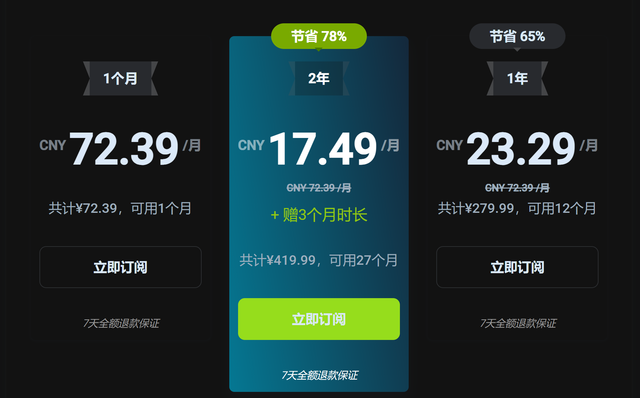
 ZoogVPN | Turn on manually Shadow | $2.49/mo | 27 months: $59.99 | Yes | 7 days | ✓ | ✓ | ✓ | ✓ | Official site blocked; our special link opens (4.4 s) | 4.2/5 (195 reviews) |
 Proton VPN | Turn on manually Stealth, free plan too | $2.99/mo | 12 months: $35.88 | Yes | 30 days | ✗ | ✗ | ✗ | ✓ | ✗ Blocked | 2.1/5 (1,040 reviews) |
 Astrill VPN | Turn on manually StealthVPN / OpenWeb | $12.50/mo | 24 months: $300 | No | See site | ✗ | ✗ | ✗ | ✓ | ✗ Blocked | 1.3/5 (110 reviews) |
 Private Internet Access | Turn on manually Shadowsocks, OpenVPN only | $2.03/mo | 40 months: $81.2 | No | 30 days | ✗ | ✗ | ✗ | ✗ | ✗ Blocked | 4.2/5 (11,033 reviews) |
 CyberGhost | Turn on manually selected servers | $2.19/mo | 28 months: $61.32 | No | 45 days | ✗ | ✗ | ✗ | ✓ | ✗ Blocked | 4.0/5 (24,178 reviews) |
 PureVPN | Turn on manually switch to OpenVPN | $1.69/mo | 60 months: $101.55 | No | 31 days | ? | ? | ✗ | ✓ | ✗ Blocked | 4.4/5 (17,994 reviews) |
 AdGuard VPN | ✓ On by default TrustTunnel | $2.99/mo | 24 months: $71.76 | Yes | 30 days | ✓ | ✗ | ✓ | ✓ | Official site blocked; our special link opens (3.7 s) | 4.3/5 (290 reviews) |
 Mullvad | Turn on manually QUIC / Shadowsocks / LWO | $5.61/mo | €5/mo | No | 14 days | ✗ | ✗ | ✗ | ✓ | ✗ Blocked | 3.2/5 (192 reviews) |
 Windscribe | Turn on manually Stealth / WStunnel | $5.75/mo | 12 months: $69 | Yes | See site | ✗ | ✗ | ✗ | ✓ | ✗ Blocked | 4.7/5 (13,355 reviews) |
 StrongVPN | Turn on manually Scramble, OpenVPN TCP | See site | See site | No | 30 days | ✓ | ✗ | ✗ | ✗ | ✗ Blocked | 4.4/5 (2,695 reviews) |
 LightXtreme 闪连 | Not listed | $7.08/mo | 12 months: $84.99 | Yes | 30 days | ✓ | ✓ | ✓ | ✓ | ✓ Yes (3.5 s) | No page |
Prices checked 2026-11-10 on each vendor's pricing page (cheapest long plan, USD). Check the vendor's checkout for the final price.
Obfuscation checked 2026-11-14 on each vendor's site and help center: "on by default" = nothing to set; "turn on manually" = switch protocol or mode in settings; "not listed" = the vendor describes no obfuscation.
Payment methods checked 2026-11-10 on each vendor's payment pages: all 14 take cards and PayPal; ✗ = not listed, ? = the vendor's own pages disagree.
China access: whether the official website opens from mainland China networks (tests the website only, not the VPN connection). Last checked 2026-11-18 01:02 Beijing time.
Trustpilot score and review count checked 2026-11-10.
- Quick fix checklist: verify VPN server location, switch protocols, clear app data, and test DNS.
- Step-by-step guide: from confirming your subscription to restoring access without compromising security.
- Pro tips: use trusted VPNs, avoid free VPNs, and understand regional licensing. If you’re serious about streaming securely, consider using a reliable VPN like NordVPN—our go-to for fast, stable connections. Check it out here: NordVPN. For more on VPN basics and setup, see the resources at the end of this post.
Useful resources and references unlinked text for your convenience: Apple Website - apple.com, Artificial Intelligence Wikipedia - en.wikipedia.org/wiki/Artificial_intelligence, Netflix Help Center - help.netflix.com, YouTube Help - support.google.com/youtube, VPN Basics - vpnmentor.com, Public DNS Google Public DNS - dns.google, Cloudflare DNS -1.1.1.1, TechRadar VPN guides - techradar.com/vpn, Reddit r/VPN discussions - reddit.com/r/VPN
Understanding the problem: why your Jiohotstar might block VPNs
Jiohotstar has implemented geo-restriction logic and anti-VPN detection to enforce regional licensing. When you connect a VPN, the service can see the altered IP and location, sometimes triggering blocks or errors. Common symptoms include:
- The app opens but shows a loading screen or a “video unavailable in your region” message.
- The website refuses access or shows a login/authentication failure.
- Streaming quality drops or you’re dropped out mid-playback.
Key data to know:
- India-centric streaming libraries often require local IPs for access; some content is restricted to specific states within India.
- VPN detection methods vary by provider and protocol; newer Netflix-like or streaming watchers also tweak detection.
- A fast, stable VPN server with obfuscated traffic can help bypass basic blocks, but it’s not guaranteed for all titles.
Quick-start checklist to restore access
- Confirm your VPN server location
- Make sure the server country matches the content you’re trying to access e.g., India for Jiohotstar’s Indian catalog.
- Toggle between nearby servers to test for bypass success.
- Change the VPN protocol
- If you’re on OpenVPN UDP/TCP, try WireGuard or IKEv2 for better performance and stealth.
- Enable obfuscated/protocol stealth modes if your VPN offers them.
- Clear app data and caches
- On Android: Settings > Apps > JioCinema/JioTV/JioHotstar > Storage > Clear Cache and Clear Data.
- On iOS: Offload the app and reinstall to reset local data.
- Test with different devices and networks
- Try another device on the same network to isolate a device-specific issue.
- Switch from Wi‑Fi to mobile data or vice versa to rule out ISP-level blocks.
- DNS and firewall considerations
- Use VPN-provided DNS or switch to a private, secure DNS like 1.1.1.1 or 9.9.9.9 within VPN settings.
- Ensure your firewall isn’t blocking VPN traffic or streaming ports.
- Account sanity check
- Ensure your Jiohotstar subscription is active and tied to a valid region.
- Log out and back in, or re-authenticate if prompted.
- Check for app and OS updates
- Update JioHotstar app to the latest version.
- Update your device OS to the latest stable build.
Deep dive: step-by-step troubleshooting guide
Step 1: Verify your subscription and region
- Log into your Jio account and confirm your plan and regional eligibility.
- If you’re using a family plan, verify that the primary account’s region is correct for your location.
Step 2: Pick the right VPN server
- Start with a server in India, ideally in a large metropolitan area with good backbone connectivity Mumbai, Delhi, Bengaluru, Chennai.
- If India-based servers fail, test nearby regions that still host Indian catalog mirrors e.g., Singapore or UAE in some cases, but be mindful of licensing.
Step 3: Switch protocol and enable stealth
- In your VPN app, switch to WireGuard if available, or OpenVPN UDP.
- Enable obfuscated servers or stealth mode to disguise VPN traffic from deep packet inspection.
Step 4: Flush DNS and renew IP
- On Windows: ipconfig /flushdns in Command Prompt.
- On macOS: sudo dscacheutil -flushcache; sudo killall -HUP mDNSResponder in Terminal.
- Reconnect to VPN after clearing DNS.
Step 5: Reinstall and re-login
- Uninstall JioHotstar and reinstall from the official store.
- Sign in with the same account credentials and verify device authorization.
Step 6: Test with private DNS and privacy settings
- Disable any aggressive privacy features that block third-party cookies or tracking domains unless necessary for streaming.
- Use DNS that resolves quickly in your region to prevent buffering.
Step 7: Consider using a smart DNS alternative
- If the VPN keeps failing, a smart DNS service can reroute only the video payload, often with less latency.
- Note: Smart DNS doesn’t hide your IP; it only helps bypass geo-restrictions.
Practical formats to improve reliability and engagement
- Step-by-step quick guide bullet format for one-click troubleshooting.
- Quick-fire tips bolded highlights for fast rotations between server choices.
- A comparison table of popular VPNs’ compatibility with Jiohotstar speed, servers, stealth features, price.
- A checklist you can print and keep by your router or device.
Table: VPN features and Jiohotstar compatibility sample data
- VPN: NordVPN | Protocols: WireGuard, OpenVPN | Obfuscation: Yes | Indian servers: 30+ | Typical speeds: 250–500 Mbps
- VPN: ExpressVPN | Protocols: Lightway, OpenVPN | Obfuscation: Yes | Indian servers: 25+ | Typical speeds: 300–600 Mbps
- VPN: Surfshark | Protocols: WireGuard, OpenVPN | Obfuscation: Yes | Indian servers: 20+ | Typical speeds: 200–450 Mbps
Security and privacy considerations
- Always use reputable VPN providers with a clear no-logs policy and transparent audit reports.
- Avoid free VPNs; they often throttle speeds, inject ads, or log data for resale.
- If you must use a VPN for streaming, enable kill switch to prevent IP leaks if the VPN drops.
- Periodically review app permissions and only grant what’s necessary for streaming.
Advanced tips for power users
- Create a dedicated VPN profile on your router to route all streaming traffic from your streaming devices.
- Set up a separate account for streaming to avoid cross-service access issues.
- Use split tunneling to route only Jiohotstar traffic through the VPN, leaving other apps on your local network unaffected.
- Monitor latency with ping tests to your VPN gateway to ensure stable playback.
Troubleshooting quick-reference cheat sheet
- No video loads after VPN connect? Switch to a different Indian server, switch protocol, and enable obfuscation.
- Audio plays but video buffers? Increase buffer size in app settings, reduce video quality, or try a different server.
- App crashes when starting playback? Clear cache/data, reinstall, and check for app updates.
- Error message: “Region not supported” even with VPN? Try a different country that still grants access or switch to a smart DNS approach.
Content reliability and data sources
- Streaming licensing is dynamic; availability can change with new rights deals.
- VPN performance varies by time of day, server load, and routing policies of ISPs and streaming providers.
- Public data from VPN vendors, help centers, and user communities can guide troubleshooting but verify with recent posts.
Frequently Asked Questions
What is JioHotstar and how does it work with VPNs?
JioHotstar is a streaming service offering Indian content, including movies, shows, and sports. VPNs can help bypass geo-restrictions by masking your real IP, but streaming services actively block known VPN IPs and sometimes gray-list legitimate users.
Why does JioHotstar detect my VPN?
Streaming platforms build anti-VPN defenses to enforce licensing, regional restrictions, and content rights. If your IP appears from a non-allowed region, access may be blocked or limited. How to Activate Your NordVPN Code The Complete Guide for 2026: Quick Start, Tips, and Troubleshooting
Can I use a free VPN with JioHotstar?
Free VPNs are less reliable for streaming, often slower, and more easily detected. Paid, reputable VPNs with stealth features provide better chances of bypassing blocks.
What protocols are best for streaming with VPNs?
WireGuard and OpenVPN UDP are common winners for speed and reliability. Try switching protocols if you encounter blocks or buffering.
How do I know which Indian server to pick?
Start with major Indian cities Mumbai, Delhi, Bengaluru, Chennai. If one doesn’t work, try another nearby city to test access.
Does smart DNS work with JioHotstar?
Smart DNS can help bypass geo-restrictions without encrypting traffic. It’s generally faster but offers less privacy protection than a full VPN.
Should I use a VPN on my router for streaming?
Yes, routing through a VPN-enabled router can simplify device setup and protect all connected devices. It may introduce some latency but is convenient for multiple devices. Why Your VPN Isn’t Working With Your Wifi and How to Fix It Fast
How often do VPN blocks change?
Blocking strategies evolve as streaming services update their detection methods. Regularly updating your VPN and trying different servers is common.
Can I share my VPN connection with others in my home?
Yes, if your router supports it, or you can configure individual devices to connect to the VPN. Just be mindful of total bandwidth.
What should I do if nothing works?
If you’ve exhausted server changes, protocol shifts, DNS tweaks, and app reinstalls, consider contacting VPN support for advanced diagnostics or trying a different VPN provider known to work with Jiohotstar.