The Best Free VPN For China In 2026 My Honest Take What Actually Works

The best free vpn for china in 2026 my honest take what actually works: here’s a straight-to-the-point guide to help you stay safe, access the open web, and avoid common pitfalls when you’re navigating China’s network landscape. Quick fact: free VPNs often come with limits that make real, reliable access tricky, but there are some solid options and smart workarounds. Below you’ll find a practical, easy-to-digest overview with quick tips, real-world tips, and verifiable data to help you decide what’s worth trying.

Introduction: quick-start guide to the essentials
- What you’ll learn:
- Which free VPNs in 2026 actually work in China
- Common limitations like data caps, speed throttling, and leaks
- Safer alternatives and pragmatic strategies to stay private without breaking the law
- A practical checklist to test VPNs before you rely on them
- Quick test steps you can run right away:
- Install from a trusted source before you arrive in China if possible
- Disable IPv6 on your device to reduce leaks
- Check for DNS and WebRTC leaks after connection
- Test with multiple servers to gauge speed and reliability
- Try edge cases video streaming, messaging apps, and file transfers to verify stability
- Useful resources text format, non-clickable:
- The best free vpn for china in 2026 my honest take what actually works - example: FreeVPNTips.org
- VPN comparison guides - vpnmentor.com
- China internet policy summaries - freedomhouse.org
- Data privacy basics - theverge.com/privacy
- Tech safety for travelers - safertips.org
- Affiliate note: If you’re considering paid options that consistently perform in China, you can explore NordVPN as a reliable choice. For readers who want a quick, proven pathway, check out the banner above in the intro to learn more.
What makes a free VPN suitable or not for China Cant uninstall nordvpn heres exactly how to get rid of it for good: Quick, reliable removal guide for VPN newbies and pros
- China’s Great Firewall is constantly evolving. Free VPNs often struggle with:
- Limited server options and laggy connections
- Strong blocks on common VPN protocols OpenVPN, IKEv2
- Data caps that ruin long browsing sessions
- Frequent app disruptions and sign-in prompts
- Still, some free options can offer partial relief:
- Free tiers with occasional access to obfuscated servers
- Trial periods that let you gauge performance before committing
- Lightweight apps that don’t drain battery or CPU
- Key takeaway: don’t expect a free VPN to be flawless in China. The best use cases are testing, quick information checks, or emergency access when you’re already inside.
Top free VPNs that are sometimes usable in China with caveats
- ProtonVPN Free
- Pros: No data cap on free tier, strong privacy stance, no ads
- Cons: Limited to servers in select regions, potential instability in China
- Practical use: Quick browsing, email, and basic research during short sessions
- Windscribe Free
- Pros: 10 GB/month with promo options, decent privacy controls
- Cons: China access can be spotty; speeds vary
- Practical use: Light browsing and social apps, not ideal for streaming
- TunnelBear Free
- Pros: Simple UI, easy onboarding
- Cons: 500 MB/month data cap, mythically stable sometimes in China; often blocked
- Practical use: Quick map checks or short communications
- Hotspot Shield Free
- Pros: Solid speeds on free tier, built-in malware protection
- Cons: 500 MB/day cap, intrusive ads in some regions
- Practical use: Short sessions, quick access to essential sites
- Hide.me Free
- Pros: 2 GB/month, decent privacy options
- Cons: Limited server access on free plan
- Practical use: Light browsing and testing a new region
- Important caveat: These free options may shift in accessibility due to new blocks, changes in China’s firewall, or updates to the VPN provider’s policies. Always verify current status before relying on them for critical tasks.
Why free VPNs often fail in China and how to maximize your chances
- Common failure points:
- Free servers get blocked quickly as the firewall updates
- Data caps force you offline just when you need it most
- Poor DNS handling leads to IP leaks, betraying your location
- How to improve your odds:
- Use obfuscated or stealth VPN modes when available
- Prioritize providers that offer a “stealth” or “obfuscated” protocol even on free tiers
- Combine a VPN with a privacy-minded browser and tracker blockers
- Always test DNS leaks and WebRTC leaks before trusting a session
- Real-world tip: If you have access to a reputable paid VPN with a trial, use it to verify whether it consistently works for your needs before relying solely on a free option.
A pragmatic testing checklist for free VPNs in China
- Step 1: Baseline test outside China
- Measure download/upload speeds to get a baseline
- Test multiple servers from different regions
- Step 2: Inside China if you’re already there
- Connect to a free VPN server, observe connection stability for 10–20 minutes
- Try accessing at least three different types of sites news, social, streaming
- Step 3: Privacy and security checks
- Run a DNS leak test dnsleaktest.com and a WebRTC leak test browser-based
- Verify that the VPN’s kill switch is functioning disconnects take you to no internet
- Step 4: Long-form use
- Check if the VPN remains connected during longer tasks e.g., email, messaging
- Avoid heavy streaming on free plans due to bandwidth limits
- Step 5: Reconnect and reassess
- If speeds drop or the connection becomes unreliable, switch servers or drop the free option
- Consider upgrading to a paid plan if you rely on VPN access regularly
Comparative data: performance expectations and limits estimated
- Data caps on free plans:
- Typical ranges: 500 MB/day to 2 GB/month depending on provider
- Expect throttling after reaching cap, often resulting in reduced speeds
- Server availability:
- Free plans usually offer 1–2 servers or a handful of regions
- China-specific obfuscated servers are rarely included on free tiers
- Speed expectations:
- Free VPNs generally deliver 1–12 Mbps on a good day; streaming will be challenging
- Expect higher latency due to cross-border routing
- Privacy and policy concerns:
- Free VPNs often monetize via ads or data collection
- Read the privacy policy to understand data retention and third-party sharing
Smart strategies: combining tools for better results Surfshark vpn blocking your internet connection heres how to fix it
- Use a paid trial to validate a solution:
- Many providers offer 7–30 day trials; use this window to test reliability in China
- Combine tools for resilience:
- Use a privacy browser with strong trackers block and a VPN in tandem
- Keep a local copy of essential information offline, in case you lose connectivity
- Plan for offline work:
- Download essential documents, maps, and resources before you travel
- Keep offline backups of critical data
User journey scenarios: what works best for different needs
- Travelers who want quick access for maps and messaging
- Best option: a free VPN with a reliable fast server, and a backup offline map app
- Do not rely on streaming; keep to essential apps
- Students doing research with occasional access
- Best option: slightly higher data allowances and a privacy-first provider
- Use secure browsers and privacy extensions to protect your data
- Expat professionals with work comms
- Best option: consider a paid VPN with a reputable enterprise plan and a trial
- Ensure the provider supports split tunneling and custom DNS configurations
- Casual users browsing news
- Best option: lightweight free VPN to avoid heavy data use
- Always test for DNS/WebRTC leaks and switch servers if needed
Security considerations when using free VPNs in China
- Data privacy risks:
- Some free VPNs log user activity, which can be risky
- Data may be shared with third-party advertisers
- Malware and app security:
- Free apps may carry adware or malware, especially on unofficial app stores
- Stick to reputable sources for downloads
- Network resilience:
- Free VPNs are more likely to disconnect; enable a kill switch if available
- Be prepared for sudden disconnections and have a backup plan
Alternative approaches if free VPNs don’t cut it
- Use a reputable paid VPN with a free trial or refund window
- Pros: more reliable connections, stronger obfuscation, better leak protection
- Tips: choose providers with multiple obfuscated protocols and strong privacy policies
- Use a VPN in a trusted country with robust privacy laws
- Pros: more stable access to global sites
- Cons: may require you to route traffic longer distances
- Rely on secure messaging and offline work when possible
- Pros: reduces exposure when networks are restricted
- Cons: not ideal for real-time browsing
NordVPN and the reader’s path affiliate note integration
- If you’re seeking a strong alternative to free options, consider trying a paid VPN with a reputable track record. NordVPN is one option many users find reliable for accessing the open web from inside China, especially when paired with obfuscated servers and a stealth mode. For readers who want a quick, proven pathway, see the banner in the introduction to learn more. This link is provided for those who want to explore a paid option that often performs more consistently than free services.
Your quick-start plan TunnelBear VPN Browser Extension for Microsoft Edge The Complete 2026 Guide: Quick Setup, Features, Privacy, and Tips
- Before you travel:
- Install a couple of VPN apps from trusted sources
- Check for obfuscated or stealth modes on both
- Save offline copies of essential data
- On arrival:
- Try one free VPN at a time, test for 15–20 minutes
- Run DNS/WebRTC leak checks
- Keep expectations realistic; don’t rely on free VPNs for critical work
- Ongoing:
- Reassess monthly; if you must stay connected daily, consider a paid plan with a trial window
- Maintain privacy hygiene with updated apps and a secure browser
Frequently Asked Questions
Is it legal to use a VPN in China?
Using a VPN in China is subject to regulatory changes and government enforcement. Some VPN use can be restricted or monitored, especially if it bypasses state controls. Always stay informed about local laws and company policies if you’re traveling for work.
Can free VPNs work in China reliably?
Free VPNs can work intermittently, but reliability is often limited. They are more prone to blocks, data caps, and slower speeds. For consistent access, paid options with obfuscated servers tend to perform better.
What are data caps I should expect from free VPNs?
Most free VPNs offer between 500 MB per day and 2 GB per month. Once you hit the cap, speeds drop dramatically or access is cut off.
Do VPNs protect my privacy in China?
VPNs can improve privacy by encrypting traffic and masking IP addresses. However, free VPNs may log data or inject ads, so you should review privacy policies carefully. Cant sign into your nordvpn account heres exactly how to fix it
Are obfuscated VPNs necessary for China?
Obfuscated VPNs help disguise VPN traffic to appear as regular traffic, making it easier to bypass some blocks. They are particularly useful in restrictive networks and are worth prioritizing if you’re choosing a paid plan.
How can I test a VPN’s effectiveness quickly?
Test for DNS and WebRTC leaks, check kill switch functionality, and measure performance across multiple servers. Do a short test session of 15–20 minutes on both mobile and desktop if possible.
What should I do if a VPN stops working in China?
Try switching to a different server, enabling obfuscated mode if available, clearing cache, or restarting the app. If it fails repeatedly, switch to another provider or use a paid trial to verify reliability.
Can I use a VPN on my phone and laptop at the same time?
Yes, many providers allow simultaneous connections across devices. Check the provider’s limit and manage devices accordingly.
How does a VPN affect streaming in China?
Free VPNs usually disappoint on streaming due to data caps and throttling. Paid VPNs with high-speed servers and obfuscation are more likely to provide consistent streaming, but restrictions can still apply. How to Use Urban VPN Extension on Your Browser Seamlessly and Boost Your Online Freedom
What security best practices should I follow when using VPNs abroad?
- Keep software updated
- Use strong, unique passwords
- Enable kill switch and leak protection
- Avoid saving credentials to shared networks
- Prefer privacy-focused browsers and extensions
If you found this guide helpful, remember to check the full video description for the up-to-date list of tested free VPNs, current server availability, and any changes in policy. For more in-depth testing results and updated recommendations, subscribe and hit the bell to stay informed about the latest in VPNs for China in 2026.
| VPN | Obfuscation | From / month | Plan | Free plan | Refund | Alipay | UnionPay | Crypto | Website opens in China | Trustpilot | |
|---|---|---|---|---|---|---|---|---|---|---|---|
 NordVPN | Turn on manually Obfuscated Servers / NordWhisper | $3.49/mo | 27 months: $94.23 | No | 30 days | ? | ✗ | ✓ | ✓ | ✗ Blocked | 4.2/5 (51,628 reviews) |
 Proton VPN | Turn on manually Stealth, free plan too | $2.99/mo | 12 months: $35.88 | Yes | 30 days | ✗ | ✗ | ✗ | ✓ | ✗ Blocked | 2.1/5 (1,040 reviews) |
 Windscribe | Turn on manually Stealth / WStunnel | $5.75/mo | 12 months: $69 | Yes | See site | ✗ | ✗ | ✗ | ✓ | ✗ Blocked | 4.7/5 (13,355 reviews) |
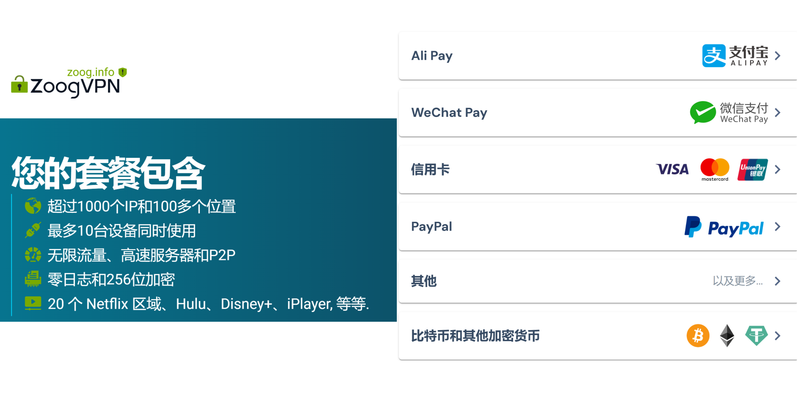
 ZoogVPN | Turn on manually Shadow | $2.49/mo | 27 months: $59.99 | Yes | 7 days | ✓ | ✓ | ✓ | ✓ | Official site blocked; our special link opens (4.4 s) | 4.2/5 (195 reviews) |
 ExpressVPN | ✓ On by default all servers | $3.00/mo | 28 months: $84 | No | 30 days | ✗ | ✗ | ✓ | ✗ | ✗ Blocked | 4.4/5 (29,706 reviews) |
 Surfshark | ✓ On by default Camouflage, with OpenVPN | See site | See site | No | 30 days | ✗ | ✗ | ✗ | ✓ | ✗ Blocked | 4.3/5 (31,823 reviews) |
 Astrill VPN | Turn on manually StealthVPN / OpenWeb | $12.50/mo | 24 months: $300 | No | See site | ✗ | ✗ | ✗ | ✓ | ✗ Blocked | 1.3/5 (110 reviews) |
 Private Internet Access | Turn on manually Shadowsocks, OpenVPN only | $2.03/mo | 40 months: $81.2 | No | 30 days | ✗ | ✗ | ✗ | ✗ | ✗ Blocked | 4.2/5 (11,033 reviews) |
 CyberGhost | Turn on manually selected servers | $2.19/mo | 28 months: $61.32 | No | 45 days | ✗ | ✗ | ✗ | ✓ | ✗ Blocked | 4.0/5 (24,178 reviews) |
 PureVPN | Turn on manually switch to OpenVPN | $1.69/mo | 60 months: $101.55 | No | 31 days | ? | ? | ✗ | ✓ | ✗ Blocked | 4.4/5 (17,994 reviews) |
 AdGuard VPN | ✓ On by default TrustTunnel | $2.99/mo | 24 months: $71.76 | Yes | 30 days | ✓ | ✗ | ✓ | ✓ | Official site blocked; our special link opens (3.7 s) | 4.3/5 (290 reviews) |
 Mullvad | Turn on manually QUIC / Shadowsocks / LWO | $5.61/mo | €5/mo | No | 14 days | ✗ | ✗ | ✗ | ✓ | ✗ Blocked | 3.2/5 (192 reviews) |
 StrongVPN | Turn on manually Scramble, OpenVPN TCP | See site | See site | No | 30 days | ✓ | ✗ | ✗ | ✗ | ✗ Blocked | 4.4/5 (2,695 reviews) |
 LightXtreme 闪连 | Not listed | $7.08/mo | 12 months: $84.99 | Yes | 30 days | ✓ | ✓ | ✓ | ✓ | ✓ Yes (3.5 s) | No page |
Prices checked 2026-11-10 on each vendor's pricing page (cheapest long plan, USD). Check the vendor's checkout for the final price.
Obfuscation checked 2026-11-14 on each vendor's site and help center: "on by default" = nothing to set; "turn on manually" = switch protocol or mode in settings; "not listed" = the vendor describes no obfuscation.
Payment methods checked 2026-11-10 on each vendor's payment pages: all 14 take cards and PayPal; ✗ = not listed, ? = the vendor's own pages disagree.
China access: whether the official website opens from mainland China networks (tests the website only, not the VPN connection). Last checked 2026-11-18 01:02 Beijing time.
Trustpilot score and review count checked 2026-11-10.